Free PC care for Windows 10 and 11
A faster, calmer PC, without the scare tactics.
Overkeep runs one health check and tells you in plain words what's slowing your PC down. It fixes only what it can prove makes a difference, shows you every change first, and can undo all of them.
- Free, every feature included
- Code-signed
- Installer or portable zip
- No account, no ads
- Every change can be undone

 Overkeep
- Home
- Storage cleanup
- Startup and speed
- Gaming
- App care
- Privacy
- Scam Shield
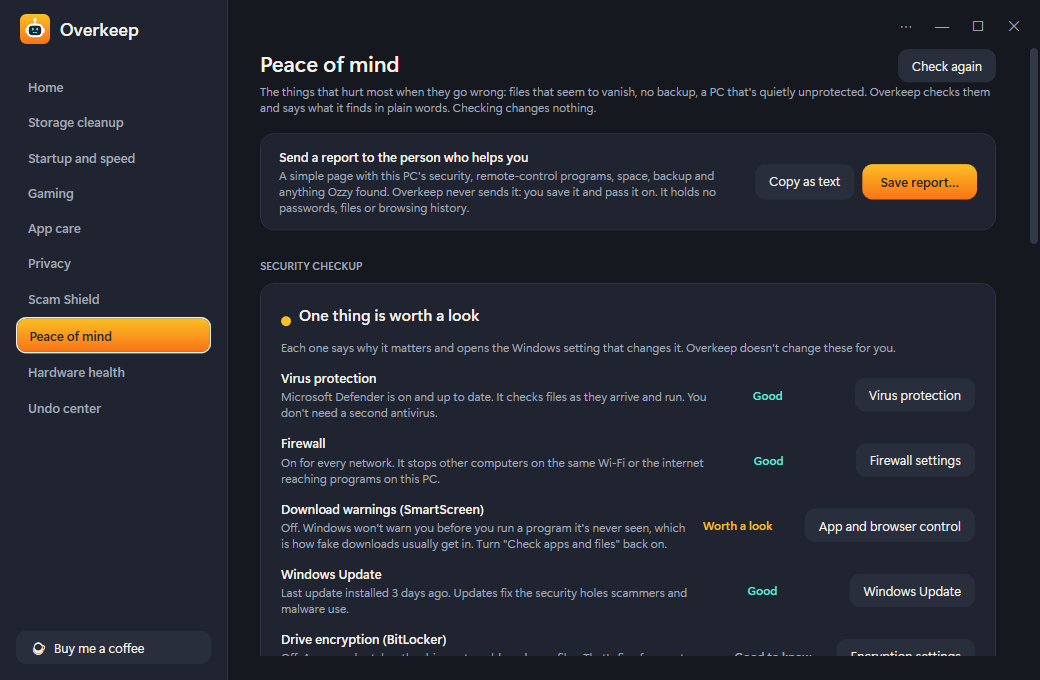
- Peace of mind
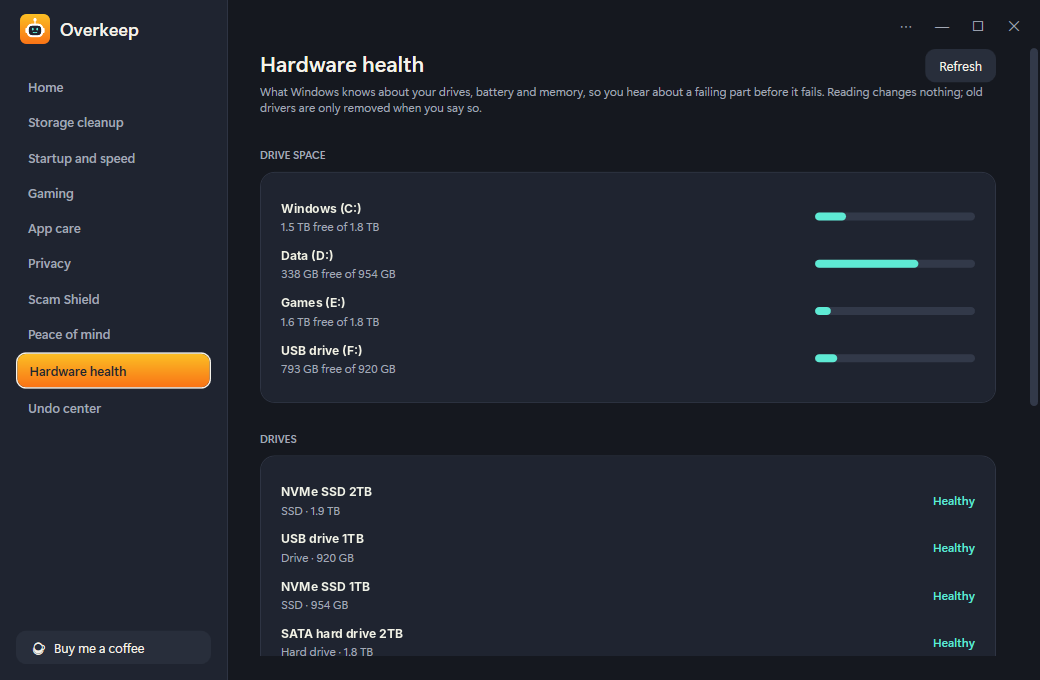
- Hardware health
- Undo center
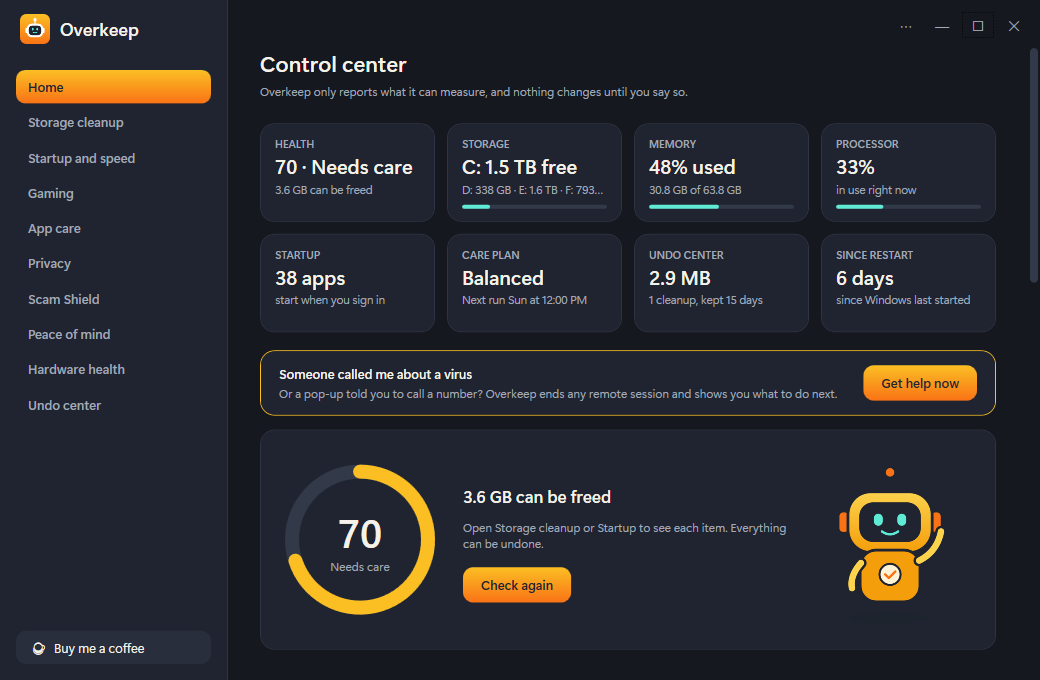
Control center
Overkeep only reports what it can measure, and nothing changes until you say so.
3.6 GB can be freed
Open Storage cleanup or Startup to see each item. Everything can be undone.
Check again
Everything a PC needs. Nothing it doesn't.
Each fix shows a preview first, nothing is ticked for you unless it's plain junk, and the Undo center keeps a way back.
Health check
A score from 0 to 100 that only drops for things with a measurable effect, in bytes or seconds. Each finding has its own button, and Home shows live tiles for space, memory, CPU and startup apps.
Storage cleanup
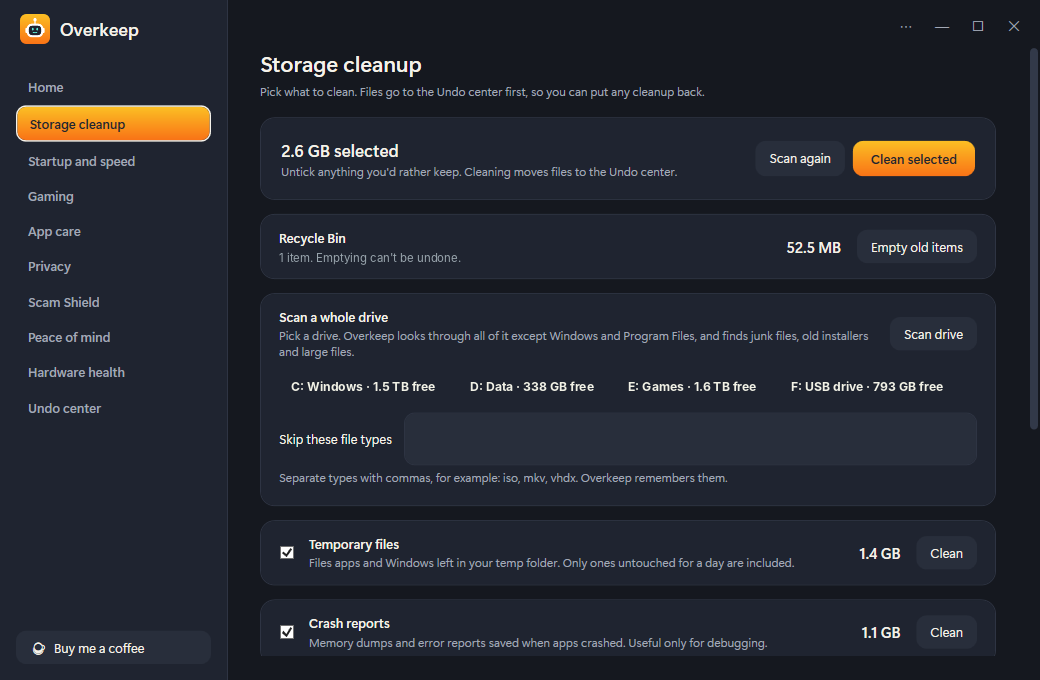
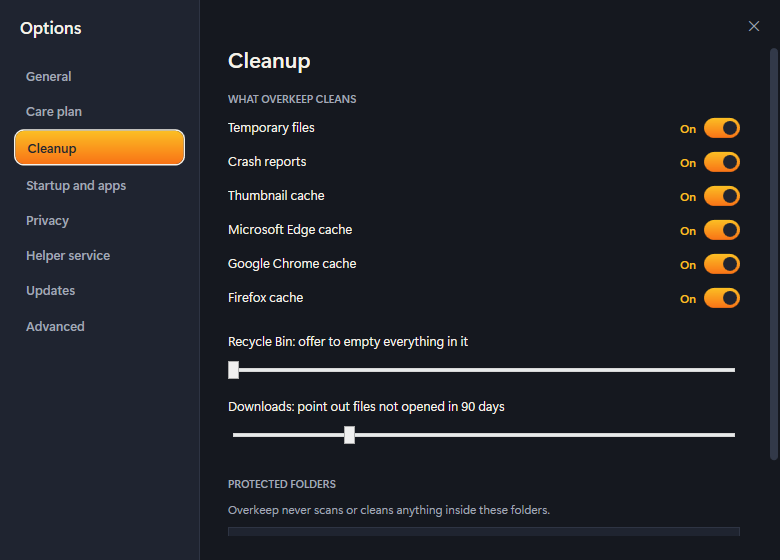
Temp files, crash reports and browser caches, each size shown first. Scan a drive for old installers and files of 500 MB or more. Cleaned files wait in the Undo center.
Startup and speed
Every app that starts with Windows, with the seconds it adds to boot. Switch them off the way Task Manager does, and ask "Why is my PC slow?" for a one-sentence answer.
Scam Shield
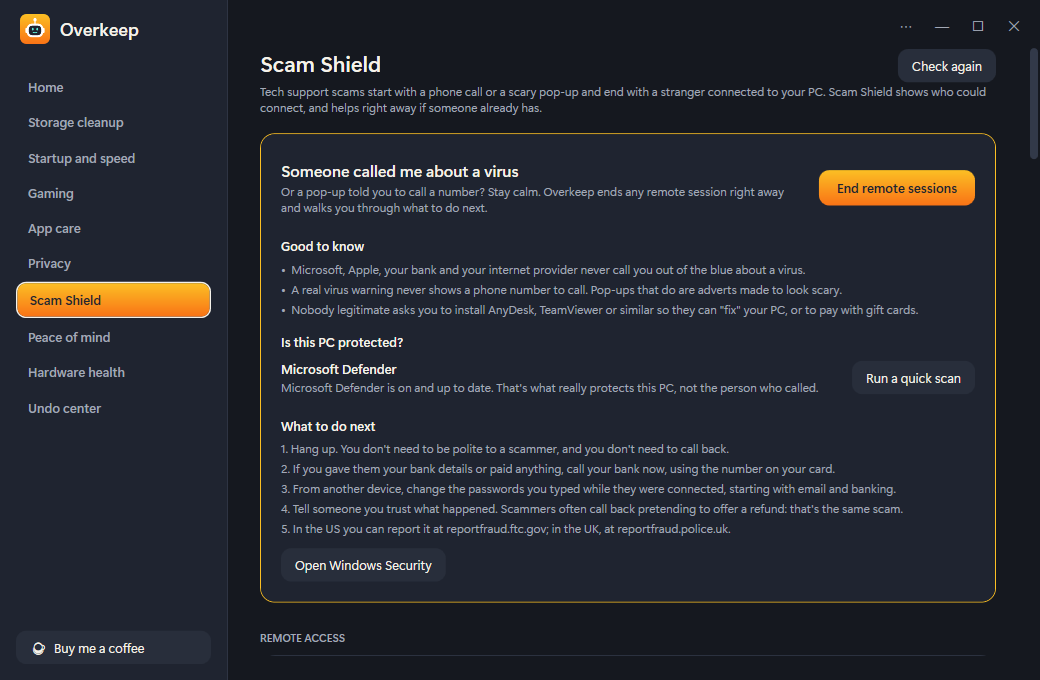
Finds remote-control programs, ends remote sessions with one button, turns off fake virus pop-ups, and checks a download before you open it.
Gaming
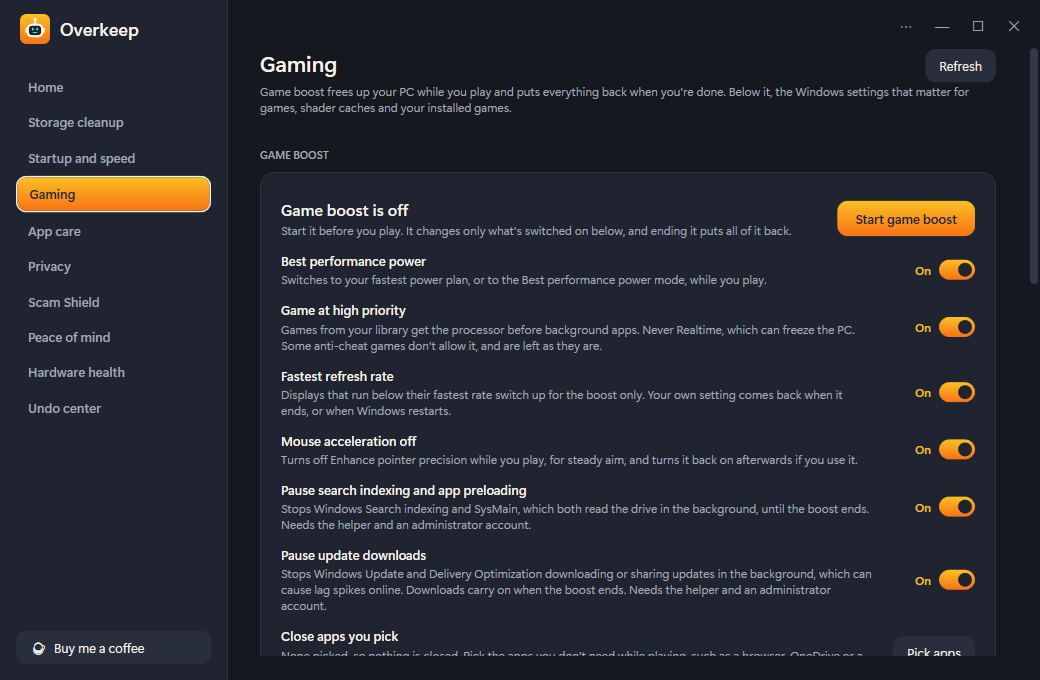
Game boost frees the PC while you play and puts everything back when you stop. Auto boost only for the games you pick, and no RAM "boosters" or timer tweaks.
Peace of mind
A security checkup in plain English, whether your files are backed up, why Windows Update is stuck, and a one-click report for whoever helps you with your PC.
App care
Every installed app with its size and install date, removed by its own uninstaller. Leftover folders are found, and fake cleaners and driver updaters are pointed out.
Privacy and annoyances
Clear browser history and recent files, and switch off lock screen ads, setup nags and suggested apps, using the same names as Windows 11 Settings.
Hardware health
Drive health, SSD wear and temperatures from Windows' own readings, battery health on laptops, and old driver versions removed only after a backup.
Undo center and care plan
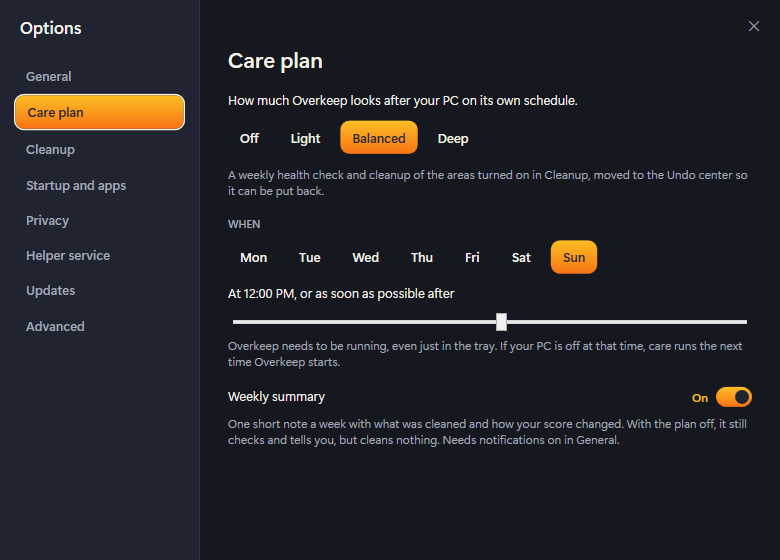
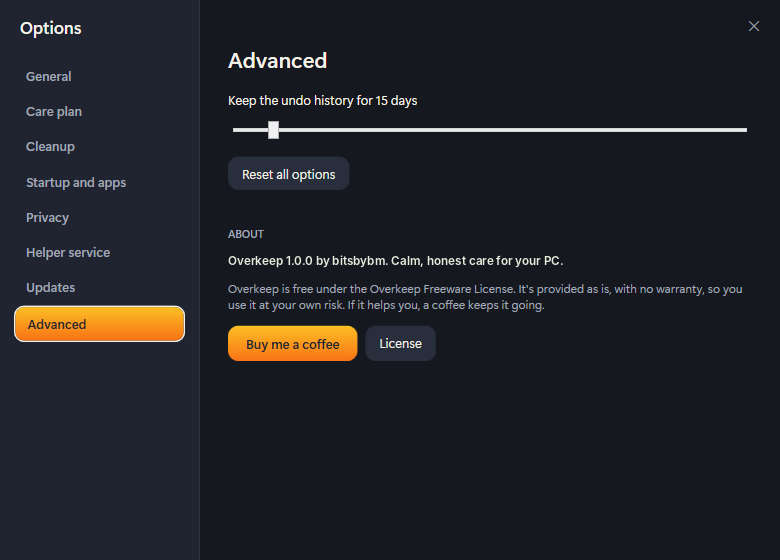
Every cleanup listed with Put back for 30 days. A Light, Balanced or Deep care run once a week, and one short summary from Ozzy instead of nags.
Spotlight · Scam Shield
"Someone called me about a virus." One button for that.
Tech-support scammers call, or flash a fake "your PC is infected" warning, and talk you into installing a remote-control app. Overkeep's panic button ends every remote session after one confirmation, shows which remote-control programs are on your PC and when they arrived, and walks you through what to check next.
- Spots AnyDesk, TeamViewer, ScreenConnect and more, and whether they're running
- Turns off the browser notifications behind fake virus pop-ups
- Checks a download's source, signature and Defender scan before you open it
- An optional paste guard warns about fake "paste this into Run" tricks, off until you turn it on
Someone called me about a virus
You did the right thing by stopping here.
Meet Ozzy, who keeps an eye on things.
Ozzy is Overkeep's helper robot. Ozzy waves when you open the app, tidies up during a cleanup, and rests when your PC is fine. Once a week Ozzy sends one short summary, and that's the only nagging you'll get.
- Saying hello
 Cleaning up
 Resting
See the real thing.
Scroll sideways for more.
What you need
- 64-bit Windows 10 or 11
- That's it: no account and no sign-up
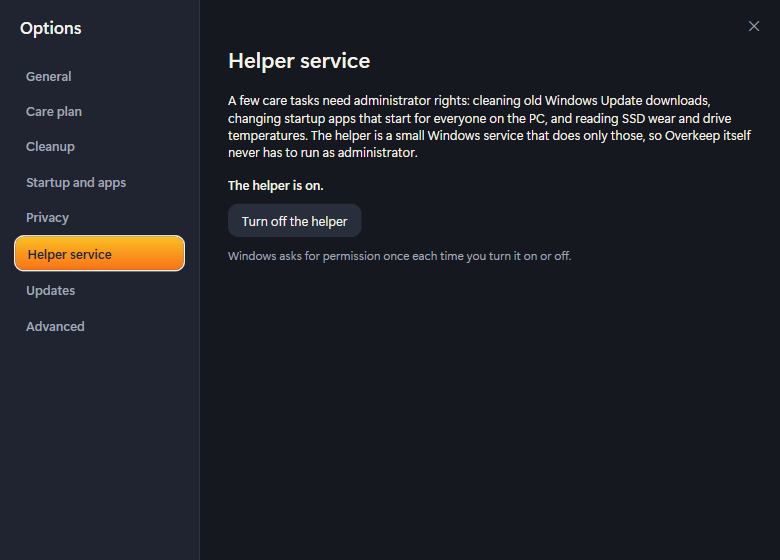
- Optional: administrator rights to turn on the helper service, for jobs like cleaning old Windows Update files and reading SSD wear
Honest by design
What it touches
Only what you pick from a preview. Cleaned files go to the Undo center first, and switched settings can be put back exactly as they were.
What it never touches
Windows' system folders, the registry the way "registry cleaners" do, your documents, or anything you pin. Defender, the firewall and Memory Integrity are explained, never switched off.
What it sends
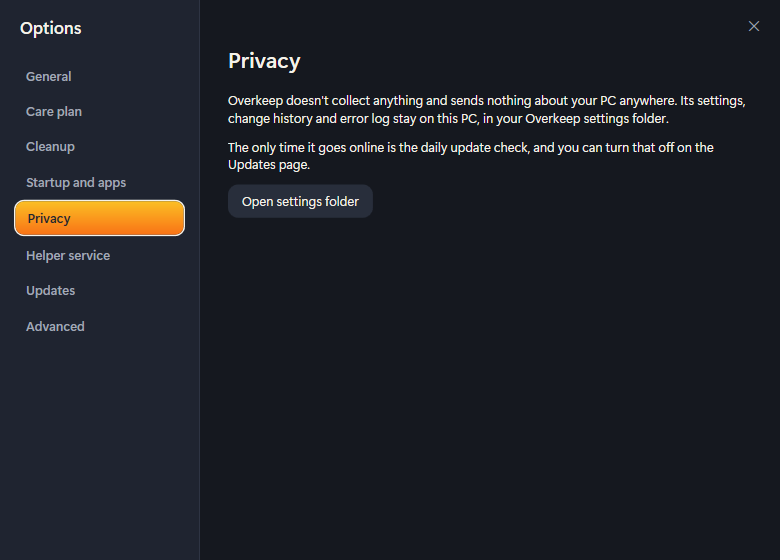
A daily check of bitsbybm.com for a newer version, which you can turn off. Nothing about your PC. No ads, no account, no trackers.
Give your PC a checkup it can trust.
Get the installer or the portable zip, the checksums, the FAQ and the full version history on the Overkeep page at bitsbybm.com.